Description
Product Overview
The Micro Innovation MC2-442-57CQB-1-2A is an industrial human-machine interface (HMI) panel associated with Romaco packaging machinery. It gives operators a local display for machine status and an input interface for supported operating functions. The documented hardware uses a 5.7-inch CSTN color LCD with infrared touch technology. Unlike a PLC CPU, the panel’s primary role is operator interaction; the functions available on screen depend on the machine application and the communication setup programmed for the installed equipment.
The MC2-442-57CQB-1-2A has a specified 24 VDC, 1.0 A supply and a four-hole front-mount arrangement. These details are useful when checking cabinet cutouts, mounting points, and power wiring during a replacement. The model number alone does not confirm the communication protocol, application software, or compatibility with every Romaco machine. Before changing the panel, document the existing wiring and machine interface, and determine whether the original HMI application can be transferred to the replacement unit.
For maintenance teams, the Micro Innovation MC2-442-57CQB-1-2A is most relevant when restoring an established packaging-machine operator station without changing the wider control system. Confirm the complete model number, article number where present, display and touch response, connector condition, and power-up behavior. Since the model is listed as discontinued by some suppliers, a replacement should be evaluated by its physical condition and verified operation, not appearance alone. Request a test report and confirm software availability before scheduling installation.
Product Introduction (Non-Templated)
A failed operator panel can leave a packaging line without its normal status display or local controls, even when the underlying PLC remains operational. The MC2-442-57CQB-1-2A provides a 5.7-inch color display, infrared touch input, and a 24 VDC supply interface.
Before replacement, compare the panel’s mounting, wiring, application software, and machine communication requirements. A matching display size does not establish that another HMI will run the original application.
Key Technical Specifications
| Parameter | Value |
|---|---|
| Product Model | MC2-442-57CQB-1-2A |
| Manufacturer | Micro Innovation AG |
| Associated Machine Brand | Romaco |
| Product Type | Industrial HMI / operator display panel |
| Display Size | 5.7 inches |
| Display Technology | CSTN color LCD |
| Touch Technology | Infrared touch |
| Supply Voltage | 24 VDC |
| Rated Current | 1.0 A |
| Mounting Style | Four-hole front mounting |
| Communication Protocol | Not independently verified for this exact configuration |
| Application Software | Machine-specific; confirm availability and transfer procedure |
| Programming Requirement | Depends on the installed HMI application |
| Operating Temperature | Not independently verified |
| Protection Rating | Not independently verified |
| Product Status | Listed as discontinued by some suppliers |
Installation note: Confirm supply polarity, connector pinout, panel dimensions, and the existing application before energizing a replacement. Do not infer communication or environmental ratings from the model’s appearance.
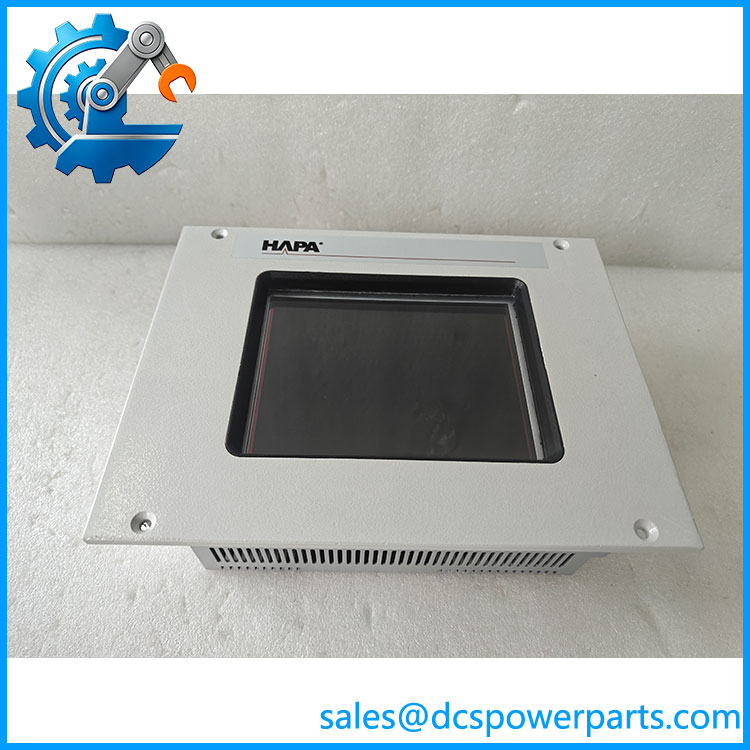
MC2-442-57CQB-1-2A
Related Products
The following are related Micro Innovation / Eaton operator-panel models or configurations. They are useful for comparison but are not confirmed drop-in replacements for the MC2-442-57CQB-1-2A.
- MC2-442-57CQB-1-1K — Related MC2 panel variant listed in Eaton’s historical product pricing material. Verify suffix-specific hardware and application compatibility.
- MC2-442-57CQB-1-1C — Another listed MC2 variant with the same main model family. Confirm connector and configuration differences.
- MC2-442-57CQB-1-2O — Related MC2 panel variant; the differing suffix requires verification before substitution.
- XV-442-57CQB-1-1W — Related Micro Innovation / Eaton operator-panel model in the 5.7-inch CQB family. Confirm its hardware and software compatibility with the original machine.
- XV-442-57CQB-1-1AB — Another related operator-panel configuration listed in the same product family. Do not assume matching application support.
- MC2-440-10TVB-1-10 — A different MC2 operator-panel model with a different display configuration. It is not a direct replacement without a machine redesign or compatibility check.
Frequently Asked Questions
1. What is the used for?
It is an industrial HMI panel associated with Romaco packaging machinery. Its role is to provide a local display and operator input interface for the application installed on the machine.
Saniya Control Systems+1
2. Can I replace the original panel with another MC2-442-57CQB model?
Not solely on the basis of the shared model prefix. Check the full suffix, connectors, supply requirements, application software, and machine communication interface. The original HMI project may be specific to the equipment in which it was installed.
3. Can I hot-swap this HMI while the packaging machine is running?
Do not assume hot-swapping is supported. Isolate power according to the machine’s safety procedure and verify that stopping or disconnecting the panel will not leave the process in an unsafe state. Follow the applicable HMI and machine documentation.
4. Does the support firmware v3.1?
The available references do not establish compatibility with a firmware version designated v3.1. Confirm the installed hardware revision, operating environment, and HMI application version using the original machine documentation before attempting an update.
5. What power supply does this operator panel require?
Available product identification records specify 24 VDC at 1.0 A. Confirm polarity, connector assignment, and the supply requirements of the actual unit before installation.
Saniya Control Systems
6. Can the original HMI application be transferred to a replacement?
That depends on the application-development environment, the original project files, and the panel’s hardware and software revision. Ask the machine OEM or responsible controls engineer whether the project backup and required tools are available before replacing a working panel.
7. How should I inspect a used or refurbished ?
Request photographs of the complete nameplate and connectors. Ask for a powered test showing the LCD, touch response, and startup behavior. Where possible, test communication and application operation with compatible equipment. Confirm the condition classification, repair history, and warranty terms in writing.