Description
Product Introduction
In an older machine-control cabinet, a failed operator panel can interrupt production even when the PLC and field devices remain operational. The GE Fanuc IC754VGL06CTD QuickPanel View provides a local touchscreen interface for viewing process data, alarms, and operator controls through an installed HMI project.
The IC754VGL06CTD uses a color TFT display, resistive touch input, Windows CE software, and serial/Ethernet connectivity. It is suited to maintenance of existing installations where the original screen layout and communication settings must be retained. Verify the exact hardware revision and project compatibility before ordering a replacement.
Key Technical Specifications
| Parameter | Specification |
|---|---|
| Model | IC754VGL06CTD |
| Manufacturer | GE Fanuc / GE Intelligent Platforms |
| Product family | QuickPanel View |
| Product type | Loaded HMI operator terminal |
| Display | 5.7-inch diagonal color TFT |
| Resolution | 320 × 240 pixels |
| Color depth | 65,536 colors |
| Touchscreen | Resistive, 12-bit |
| Processor | Intel XScale PXA255 |
| Processor speed | 300 MHz in GE hardware documentation |
| Memory | 32 MB flash, 32 MB DRAM, 512 KB SRAM, 512 KB boot ROM |
| Operating system | Windows CE |
| Power input | 12–30 VDC |
| Rated power | 24 W |
| Ethernet | 10/100Base-TX, RJ45 |
| Serial interfaces | Model-family documentation describes RS-232/RS-485 capability; verify connector assignment and port availability |
| Installation | Panel mount |
| Lifecycle | Discontinued / obsolete |
| Condition | Confirm supplied-unit status and test records |
The specifications above prioritize the GE hardware guide for processor, memory, display, and power data. Some supplier listings report different processor speeds, memory configurations, or Ethernet port counts. Those differences make revision and nameplate verification important.
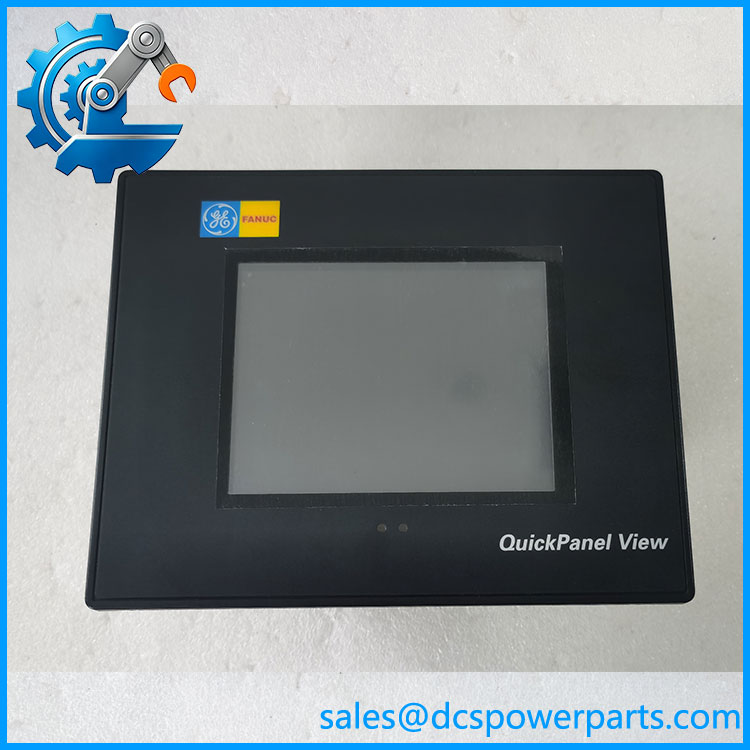
IC754VGL06CTD
Application Scenarios and Pain Points
A legacy HMI fault may leave operators without access to machine status or essential controls. The IC754VGL06CTD can be considered for existing QuickPanel View installations that require the original panel format.
- Machine operator stations: Displays production status, setpoints, alarms, and operator commands through the installed project.
- Packaging and assembly equipment: Provides a local interface for sequence monitoring and operator input.
- Process equipment: Presents configured process values and equipment states when connected to the appropriate controller.
- Legacy system maintenance: Helps reduce cabinet modifications when the existing mounting cutout, wiring, and project environment are retained.
Field consideration: A replacement screen that powers up successfully is not necessarily ready for production. Confirm the correct application, controller communications, touch calibration, and alarm behavior before releasing the machine for operation.
Related Products
These models belong to the broader QuickPanel family; they should not be assumed to be direct replacements.
- IC754VGL06MTD — Similar model designation with a monochrome display configuration.
- IC754VHL06CTD — Related 6-inch color QuickPanel View model; verify hardware and interface differences.
- IC754CGL06CTD — QuickPanel Control family variant rather than the View model.
- IC754CGL06MTD — Related monochrome QuickPanel Control model.
- IC754VSL06CTD — Another 6-inch color QuickPanel View model with a different ordering code.
- IC754VGB06CTD — Basic QuickPanel View configuration; feature set differs from the loaded IC754VGL06CTD.
The GE hardware guide groups several of these models within the same 6-inch QuickPanel View/Control documentation, but family membership alone does not establish project or wiring interchangeability.
Engineer’s Guide: Replacement Checks
1. Verify the full part number and revision.
Warning: Similar IC754 model codes may identify different display types, software configurations, or interface options. Photograph the original nameplate and compare it with the replacement.
2. Preserve the HMI project and communications configuration.
Back up the original project where possible. Record controller addresses, serial settings, Ethernet configuration, alarm mappings, and any project-specific runtime requirements. Confirm the available Proficy Machine Edition version supports the existing application.
3. Check power, mounting, and startup behavior.
Verify the 12–30 VDC supply, grounding, wiring, and panel cutout against the installation documentation. After installation, test display operation, touchscreen response, communication status, alarms, and operator commands.
For a surplus or refurbished unit, request actual photographs, revision details, evidence of power-on and touch testing, and written warranty terms. Do not assume that a unit described as “new” includes a factory warranty or the required application software.
Frequently Asked Questions
Q1. What is the GE Fanuc IC754VGL06CTD used for?
It is a QuickPanel View HMI terminal used to display machine or process information and accept operator input through a touchscreen. Its actual functions depend on the installed HMI project.
Q2. What power supply does the require?
The GE hardware guide specifies 12–30 VDC and a rated power requirement of 24 W. Check the cabinet supply, wiring polarity, and grounding before energizing the panel.
Q3. Can I replace it with another 6-inch QuickPanel?
Not based on screen size alone. Confirm the full part number, display type, connectors, mounting dimensions, project compatibility, and communication settings before selecting an alternative.
Q4. Does the include the original HMI application?
The model is listed as a loaded QuickPanel View terminal, but the presence and licensing status of the specific plant application must be confirmed with the supplied unit. Do not assume the original project is installed or recoverable.
Q5. Is the still manufactured?
Available product information identifies it as discontinued or obsolete. Procurement generally requires checking surplus or refurbished stock and confirming the condition of the exact unit.
Q6. What should I ask a supplier before ordering?
Request the exact model and revision, current unit photographs, tested operating status, confirmation of included accessories, warranty coverage, and dispatch lead time. For a refurbished panel, ask whether the display backlight, touchscreen, and communication ports have been tested.
Q7. How can I reduce commissioning risk after replacement?
Back up the original project and record all communications settings before removing the old panel. After installation, verify controller communication, screen navigation, alarms, touch calibration, and all relevant operator commands under the site’s approved test procedure.