Description
Product Overview
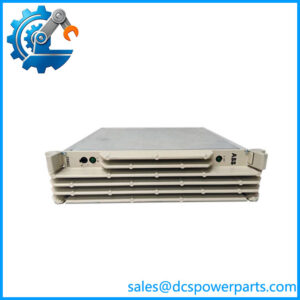
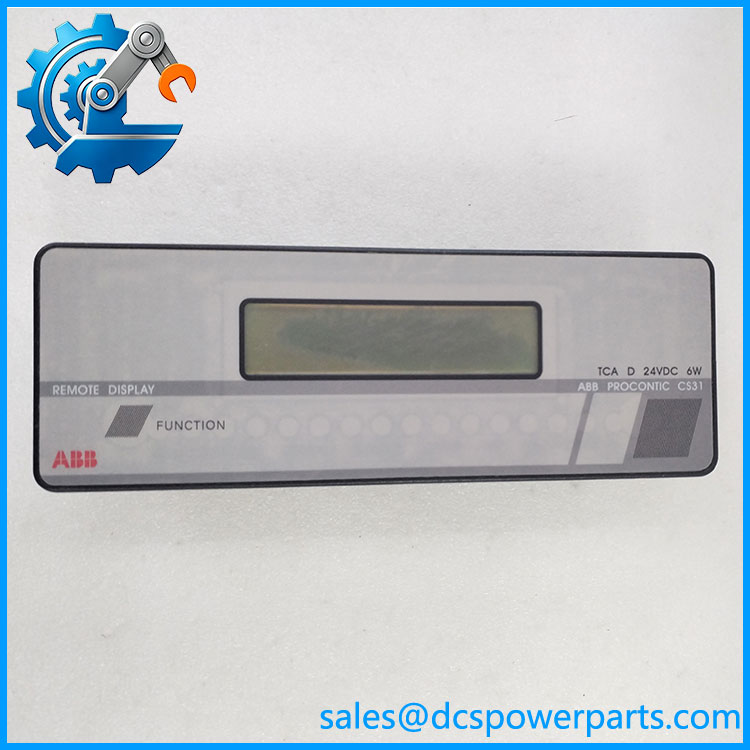
The ABB FPR3203526R1002A is identified in ABB Procontic CS31 documentation as a TCAD remote display unit powered by 24 VDC. It belongs to the operator-interface hardware used with ABB’s legacy decentralized automation platform, where operators and maintenance personnel need access to process information without relying solely on a central programming workstation. ABB’s CS31 system documentation lists the TCAD as a remote display with a two-line, 32-character display, 127 programmable messages, one background message, a programmable buzzer, key functions, and embedded variables.
For maintenance teams, the value of the ABB FPR3203526R1002A is primarily its role in preserving an existing control installation. A replacement display must match the installed hardware and application configuration; the same nominal supply voltage alone does not establish compatibility. Before ordering, confirm the full part number on the nameplate, the installed display variant, the controller or CS31 bus arrangement, and the programmed message set. Catalog listings are inconsistent about the variant designation, so verify the exact unit rather than assuming that every TCAD display is interchangeable.
Because this is legacy automation hardware, procurement should focus on condition and functional evidence as well as part-number matching. Ask the supplier to confirm whether the unit is new, unused surplus, or refurbished; request photographs of the actual label and connectors; and clarify what testing was performed. A listing or stock status alone does not prove that the display, keys, buzzer, and communication interface have all been tested. For a planned replacement, retain the existing configuration and verify operation during a controlled maintenance window before returning the equipment to service.
Product Introduction
The TCAD remote display is intended for operator-facing information in a compatible ABB Procontic CS31 control environment. Its documented message-based display format makes the configured application important: the information shown depends on the messages and variables programmed for the installation. It should not be treated as a generic text terminal without checking the original system design.
When replacing an ABB FPR3203526R1002A, compare the old and replacement units side by side before installation. Inspect the connector, housing, front-panel controls, and identification markings. Confirm the wiring and commissioning procedure against the applicable CS31 documentation. If the original configuration or operating instructions are unavailable, resolve that gap before making a live-system change.
Key Technical Specifications
| Parameter | Specification |
|---|---|
| Product model | FPR3203526R1002A |
| Manufacturer | ABB |
| Product family | Procontic CS31 / Advant Controller 31 |
| Product type | TCAD remote display unit |
| Display format | 2 lines, 32 characters |
| Message capability | 127 programmable messages plus 1 background message |
| Operator functions | Programmable buzzer, key functions, embedded variables |
| Supply voltage | 24 VDC |
| Communication interface | system context; exact display interface details require confirmation |
| Installation method | System-specific mounting; verify against the existing installation |
| Operating temperature | Not verified |
| Protection rating | Not verified |
| Power consumption | Not verified from the ABB system-description source |
| Dimensions and weight | Not verified in the available ABB documentation |
The display format, message capability, and 24 VDC supply are documented in the ABB Procontic system description.
Other specifications should be checked against the equipment label and the correct hardware manual rather than inferred from unrelated modules.
FPR3203526R1002A
Related Products
These components are associated with the ABB platform, but they are not automatic substitutes for the remote display.
- ABB 07KR31 — central processing unit used in legacy control installations.
- ABB 07KT92 — controller model listed in ABB system documentation.
- ABB NCB — bus amplifier for extending the system bus.
- ABB NCBR — bus amplifier with redundant amplification.
These products appear in ABB’s documentation as separate system components. Confirm the role and compatibility of each against the installed architecture.
Frequently Asked Questions
1. What is the ABB FPR3203526R1002A?
It is an ABB Procontic TCAD remote display unit, listed for 24 VDC supply.
2. What information can the display show?
ABB documentation specifies two lines of 32 characters, 127 programmable messages, one background message, and embedded variables. The actual information displayed depends on the application configuration.
3. Can it replace any ABB display?
Do not assume so. Match the complete order code, hardware variant, connector arrangement, and application requirements. Available catalog listings use inconsistent variant descriptions.
4. Does it operate on 24 VDC?
Yes. ABB’s system description lists the TCAD remote display with a 24 VDC power supply. Confirm the site’s wiring and allowable supply conditions in the applicable manual.
5. Are configuration settings included with a replacement?
Do not assume that the application configuration is supplied with the hardware. Confirm whether the original message configuration and required programming tools are available before replacing the unit.
6. What should be checked before purchase?
Request a clear photograph of the identification label, confirmation of the exact model, a description of the unit’s condition, and documented functional-test results where available. Verify connector condition and any variant markings.
7. What testing should be requested for a used unit?
Ask for evidence that the display powers up, characters remain legible, keys respond, the buzzer operates if fitted, and the unit functions with a compatible setup. A basic power-on test alone does not verify system communication or application behavior.
Procurement Recommendation
Treat the ABB FPR3203526R1002A as a legacy, system-specific HMI spare. Before purchase, confirm the exact installed variant and whether the replacement has been tested beyond a power-on check. For refurbished stock, request actual-unit photographs and a written test scope. If the original configuration or compatibility information is missing, resolve that before scheduling the replacement; this is preferable to discovering a variant mismatch during a production shutdown.